Support
Proper Operation
- Turn OAK on and off by pressing the power switch on the rear momentarily, about half a second.
- Use the power switch on the rear before removing power.
- Use unbalanced (TS) cables.
- Do not use outdoors in direct sunlight. Operating range is 32°F to 95°F (0°C to 35°C).
Unique Buttons
These buttons have an alternate purpose not found on the original ASR-10.
| OAK | Opens the OAK menu and options |
|---|---|
| Shift + Cancel / Oct Down | Octave down |
| Shift + OK / Oct Up | Octave up |
| Shift + LFO / Patch Up | Patch A |
| Shift + LFO / Patch Down | Patch B |
Using a Sustain Pedal
The OAK sustain pedal input accepts a TS sustain pedal, either Ensoniq or Roland / Yamaha. For a Roland or Yamaha pedal, enable OAK > Settings > Sustain Invert.
Using the Auxiliary Outputs
Aux 1 (Left / Right) works the same as the original ASR-10 fitted with the optional OEX-6sr. For any instrument or wave, select Edit > Amp and set OUT to AUX1.
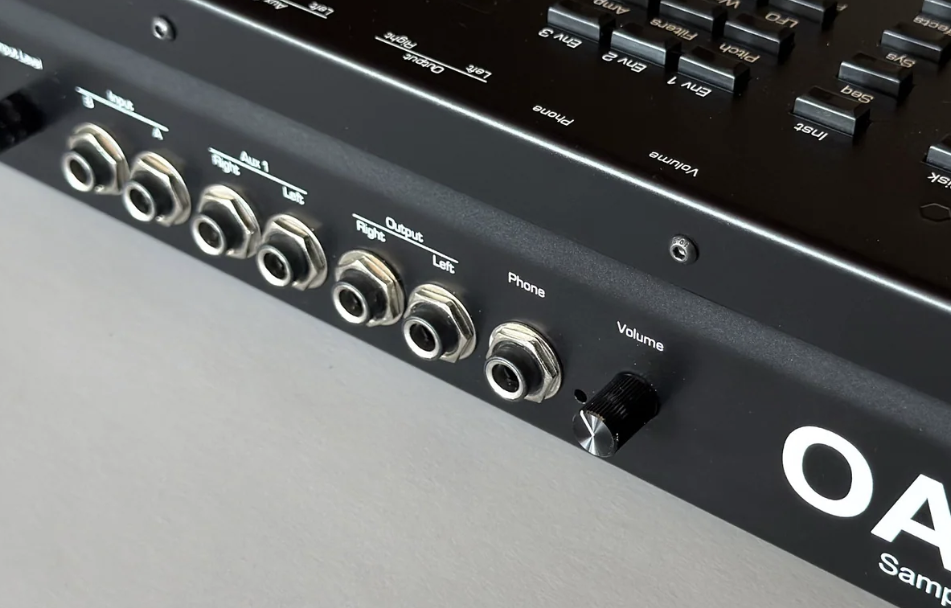
If you are patching into a mixer in mono, pan the wave hard left or right to use Aux 1 as two separate outputs.
Note: as on the original, effects do not go through the Aux 1 outputs.